Integrating Freshdesk with 7en.ai allows your AI agents to seamlessly interact with your customer support ticketing system, automating ticket creation and query resolution. This guide provides a clear, step-by-step process to connect Freshdesk to 7en.ai, enabling your agents to streamline support workflows and enhance customer experiences.
Ensure you have active accounts for both 7en.ai and Freshdesk, with administrative access to retrieve API keys and domain details. You'll need your 7en.ai API token from Settings > API Keys.
Linking Freshdesk with 7en.ai empowers your AI agents to:
This integration bridges your AI capabilities with robust support tools, saving time and improving efficiency.
Let your AI agent reply to Zoho tickets automatically
Once connected, you can enable Auto Ticket Reply on any agent — your 7en.ai agent will automatically respond to incoming Zoho tickets using its trained knowledge, without any manual intervention.
To enable it:
From that point on, every new Freshdesk ticket is picked up by the agent and replied to instantly — cutting response times and reducing support load.
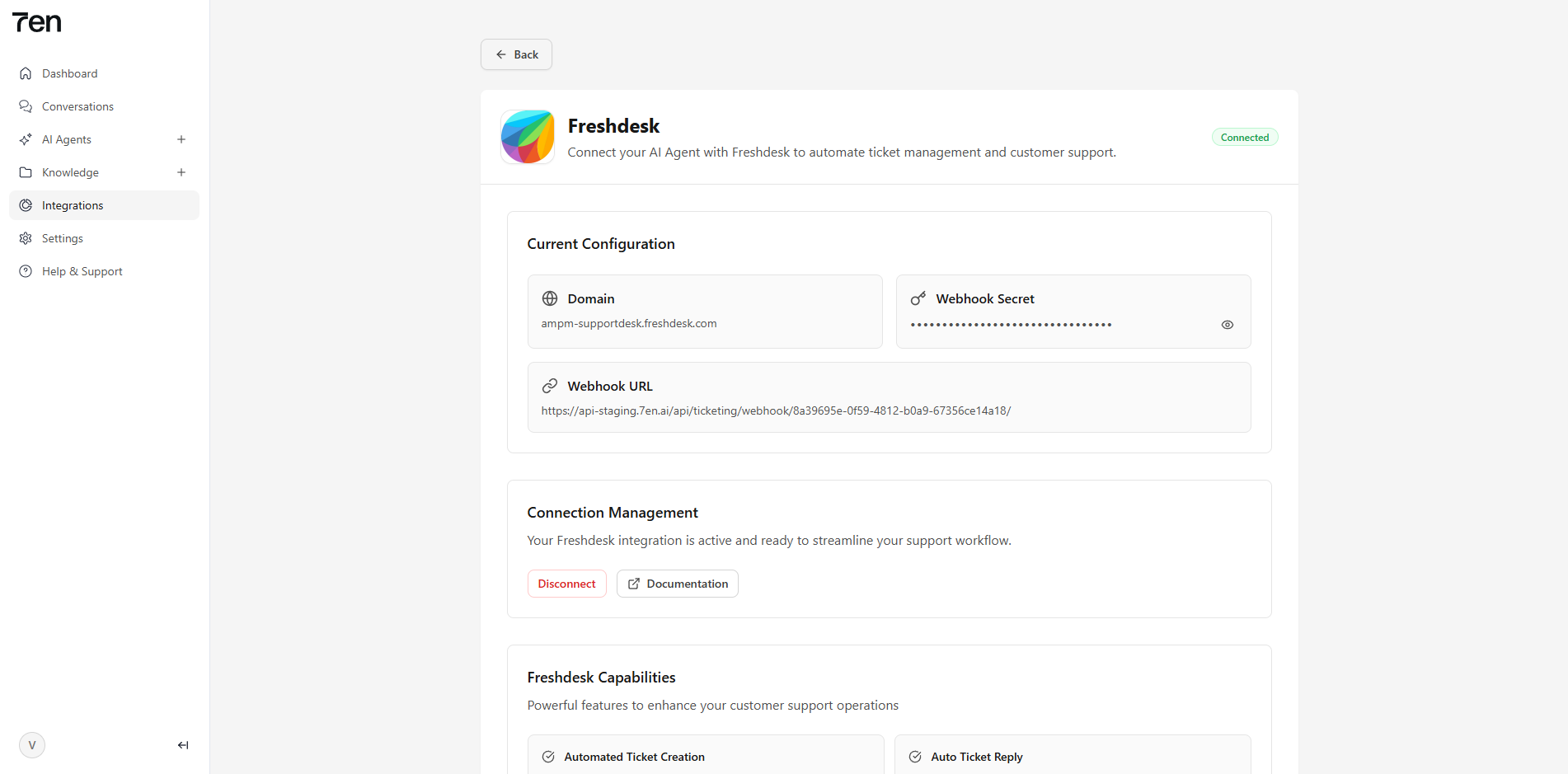
Follow these steps to connect Freshdesk to 7en.ai, complete with visual references to guide you through the process.
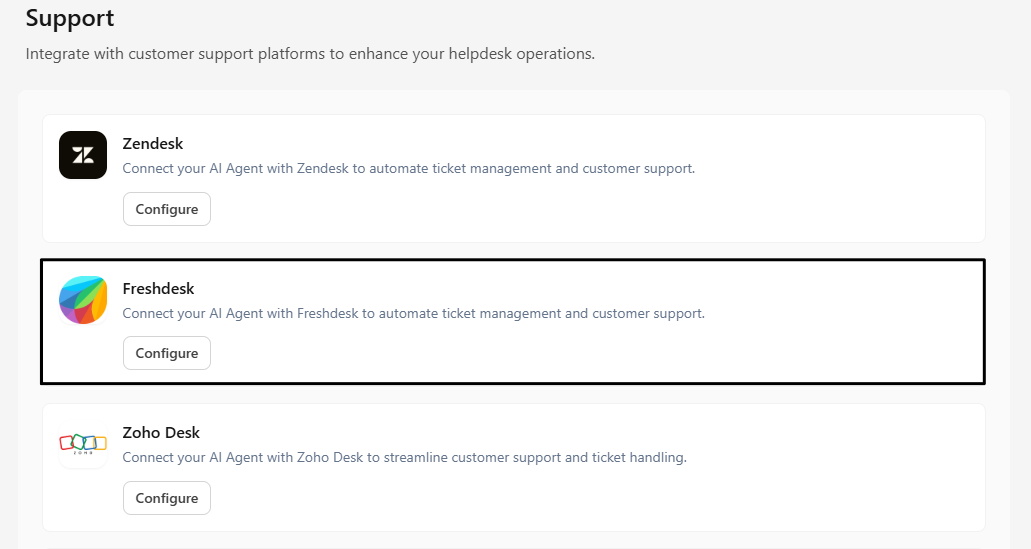
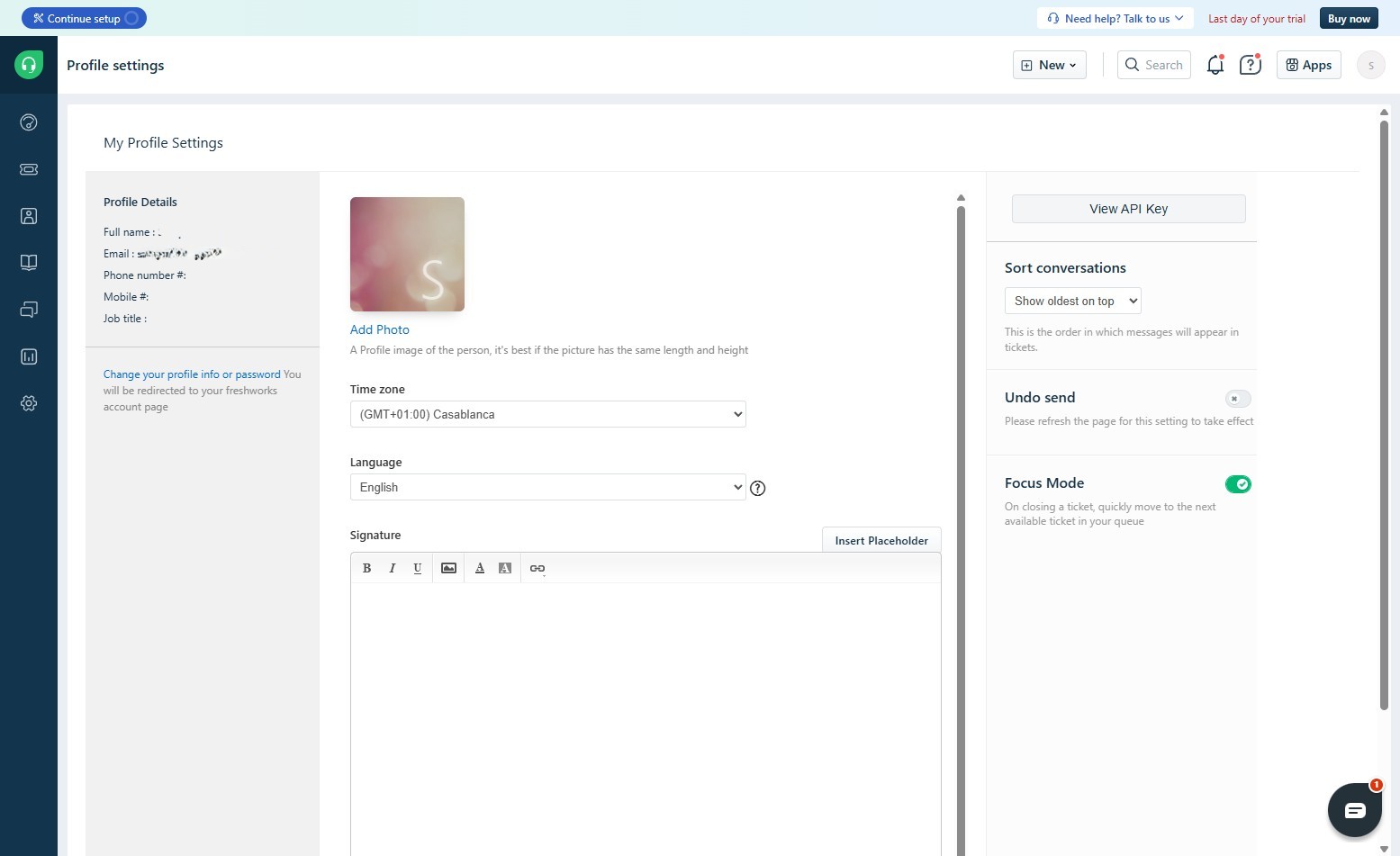
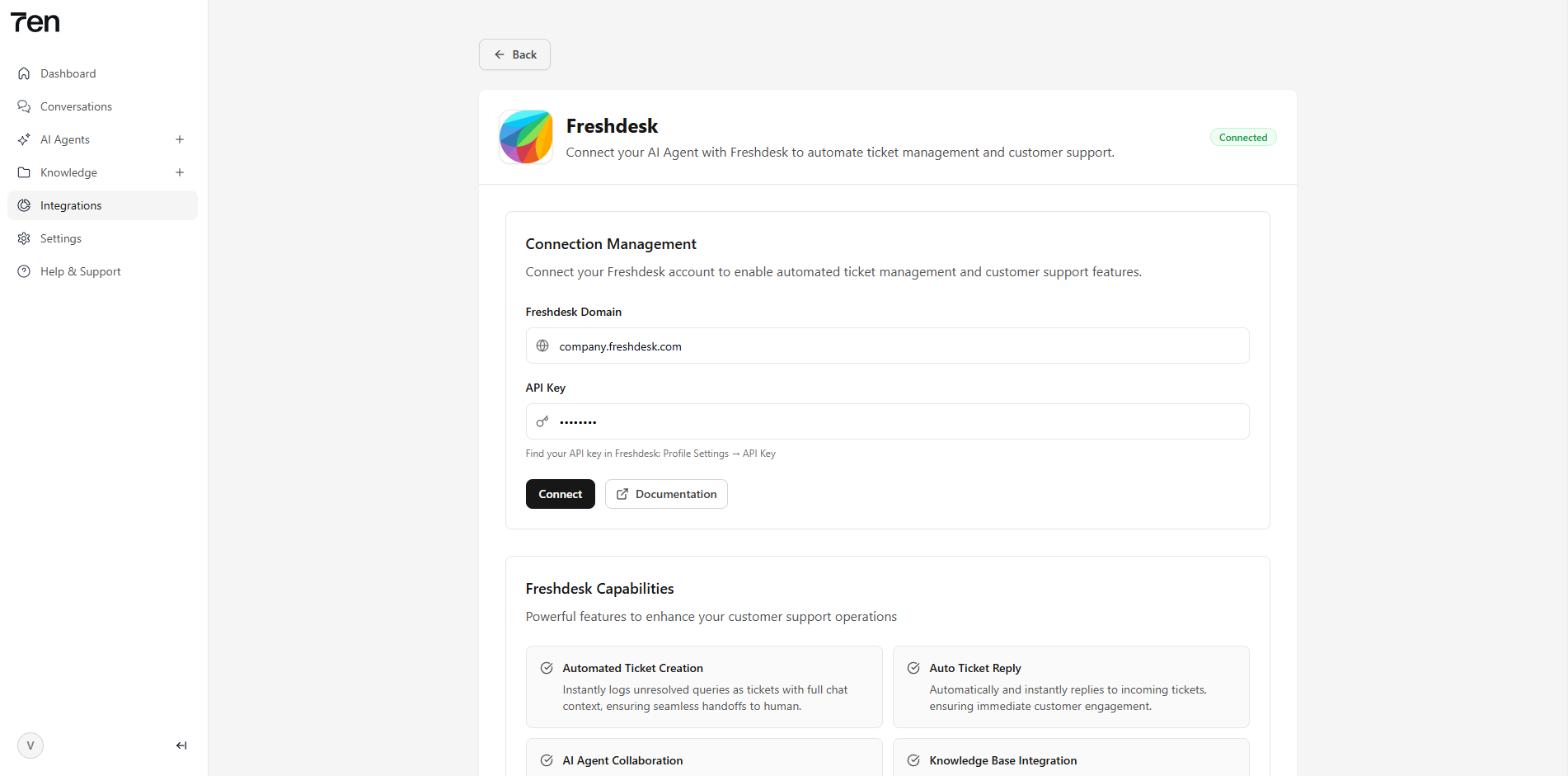
company.freshdesk.com) from the browser's address bar or account settings.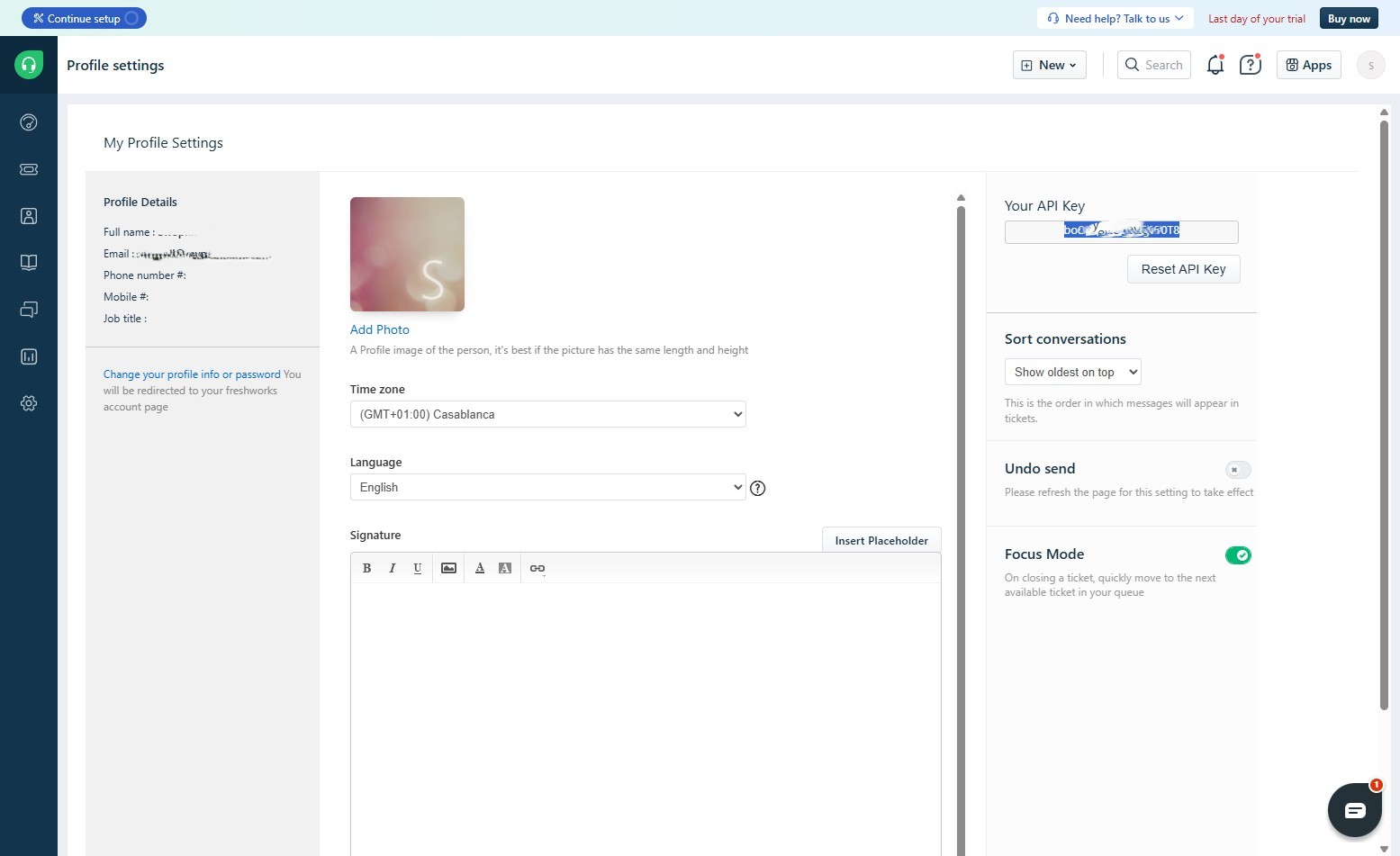
Start building intelligent AI agents to engage with customers.