The "Plain Text" tab in the "Add Knowledge Sources" modal provides a direct way to paste raw information into your agent's brain. This is the fastest method for adding specific snippets, FAQs, or structured data that doesn't exist in a standalone file or public URL.
Source Name
Assign a clear, descriptive name (e.g., "Q4 Marketing FAQs") to categorize this text block within your knowledge base.
Source
Choose "Plain Text" option from the available source options in the tab menu.
Text Editor
A large input field where you can type or paste your content directly.
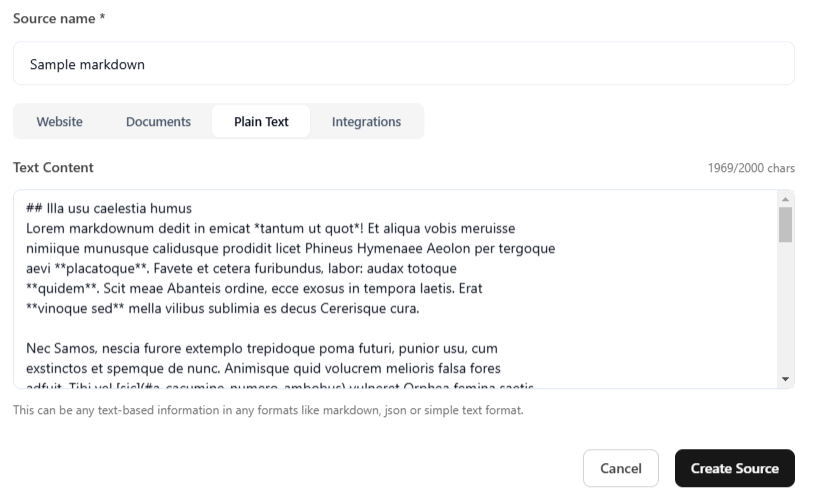
Once you have completed the steps mentioned above, click the Create Source button at the bottom right of the modal to save the entry.
Important: Simply creating a source does not immediately train the agent. After adding all your desired sources (websites, documents, or text), you must click the Train Agent button on the builder page. This triggers the system to process the new data and apply it to your agent's active knowledge base.
Start building intelligent AI agents to engage with customers.